
Spotxel® Reader 3.1 available on the Microsoft Store
We are pleased to announce that Spotxel® Reader 3.1 is now available on the Microsoft Store for Windows.
Spotxel® Reader is a free app for microplate-reader workflows and image-based colorimetric assay analysis. It helps users capture or load a microplate image, align the well grid, select the measured color, quantify well signals, define standards and unknowns, calculate a standard curve, derive unknown concentrations, review well data, and export assay results.
With the new Windows release, Spotxel® Reader becomes easier to install, update, and test on desktop systems. The app can be downloaded directly from the Microsoft Store and used for complete image-based assay analysis workflows.
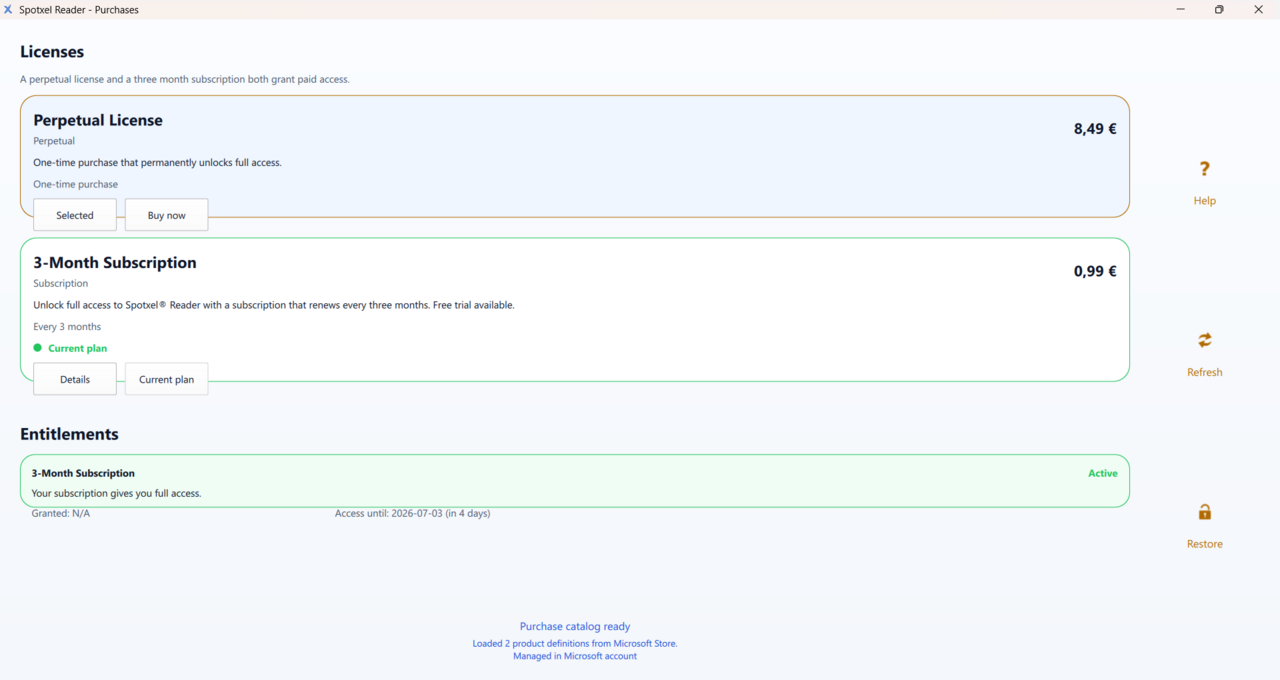
Free, feature-complete app with optional paid access
Spotxel® Reader is now a free app on all supported platforms. The unpaid version is feature-complete and includes a small advertising placement.
Paid access removes the advertising placement and is available either as a perpetual license or as a 3-month subscription.
Redesigned workflow and user interface
Spotxel® Reader 3.1 introduces a redesigned page-based workflow for microplate image analysis.
The app is organized into dedicated pages for:
- Camera capture
- Image Analysis
- Assay Setup
- Standard Curve
- Well Data
- Assay Report
- Purchases
- Settings
The new interface supports multiple color profiles and appearance modes, configurable workspace folders, camera device selection, microplate grid settings, and desktop layout switching between landscape and portrait mode.
For desktop workflows, landscape mode is still recommended because it provides more horizontal space for assay pages, tables, and charts.
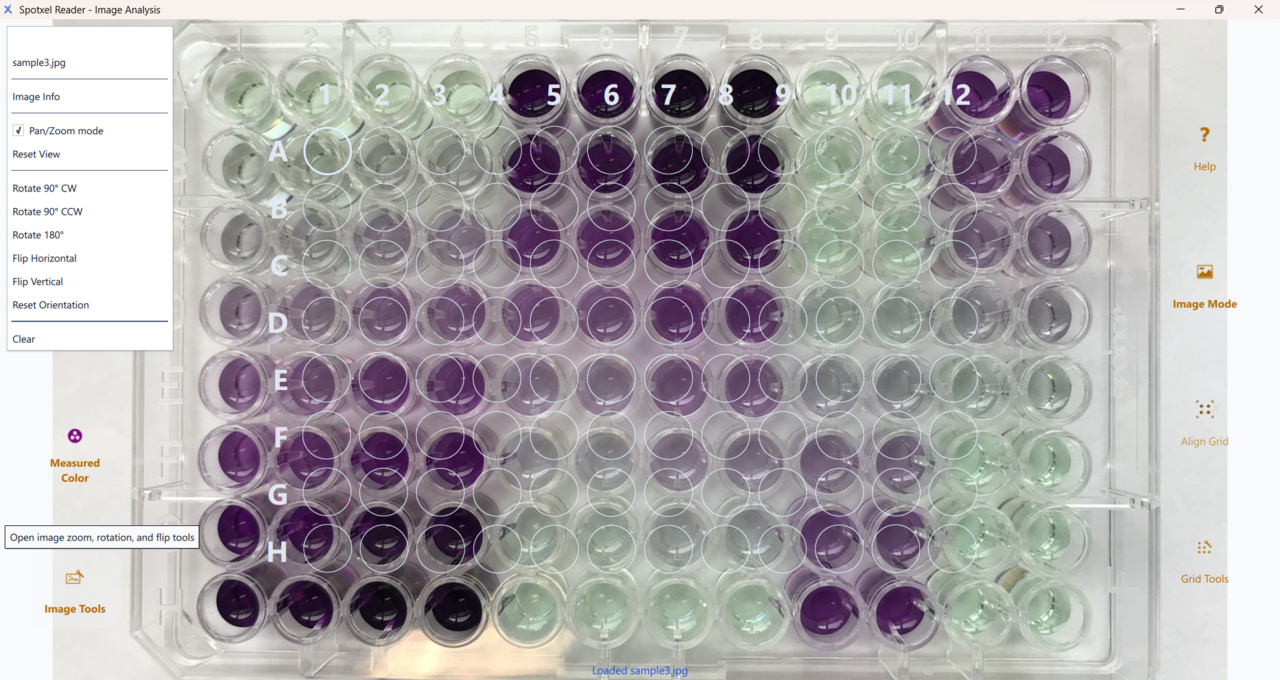
Improved Image Analysis tools
The Image Analysis page includes new tools for preparing plate images and aligning the well grid:
- Image Tools for rotating and flipping the image
- Grid Tools for rotating, flipping, saving, and loading grid profiles
- Align Grid for automatic grid alignment to the plate image
Grid profiles can be saved and reused, making repeated analysis workflows more convenient when images are captured under similar conditions.
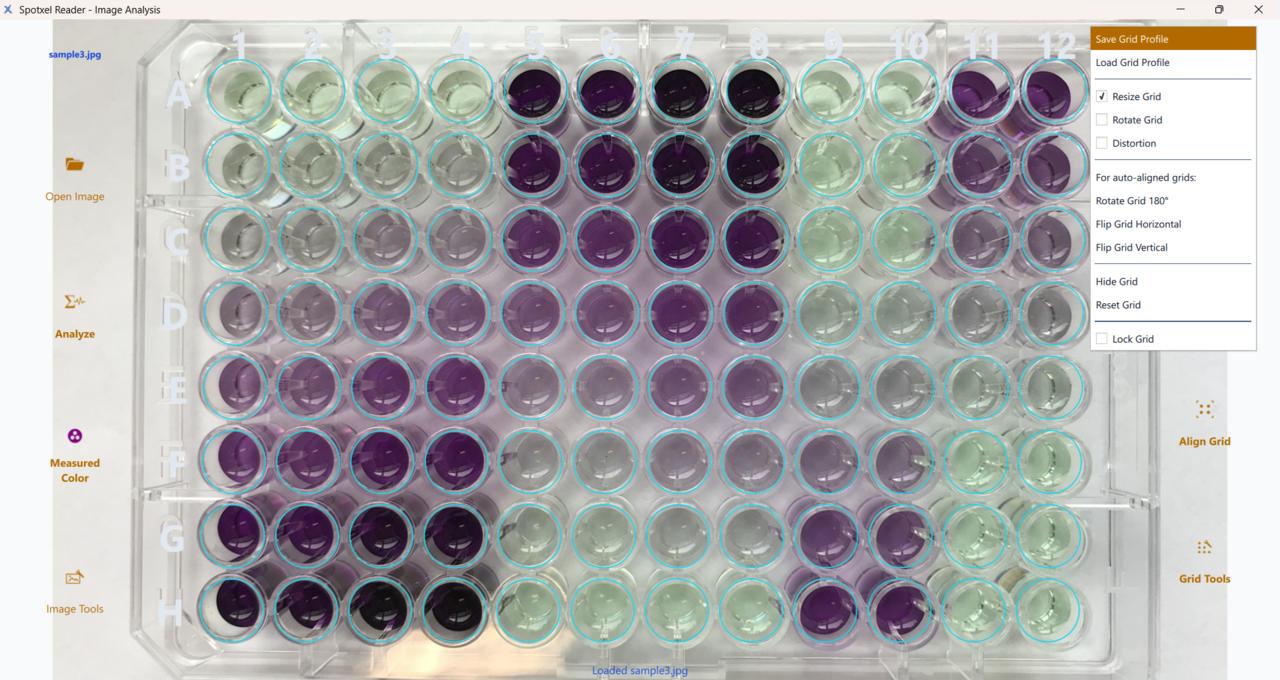
Auto grid alignment beta
The new Align Grid function is available as a beta feature.
On Windows, the current implementation runs efficiently and can align the well grid well when the microplate image is captured straight and the full plate outline is visible. For tilted plate images, the result may still be slightly offset. We are actively working on improving robustness for tilted images and other difficult capture conditions.
This beta feature continues the development path from our previous plate-detection R&D updates, where AI and computer vision were combined to detect the plate outline, plate orientation, A1 corner, and wells area.
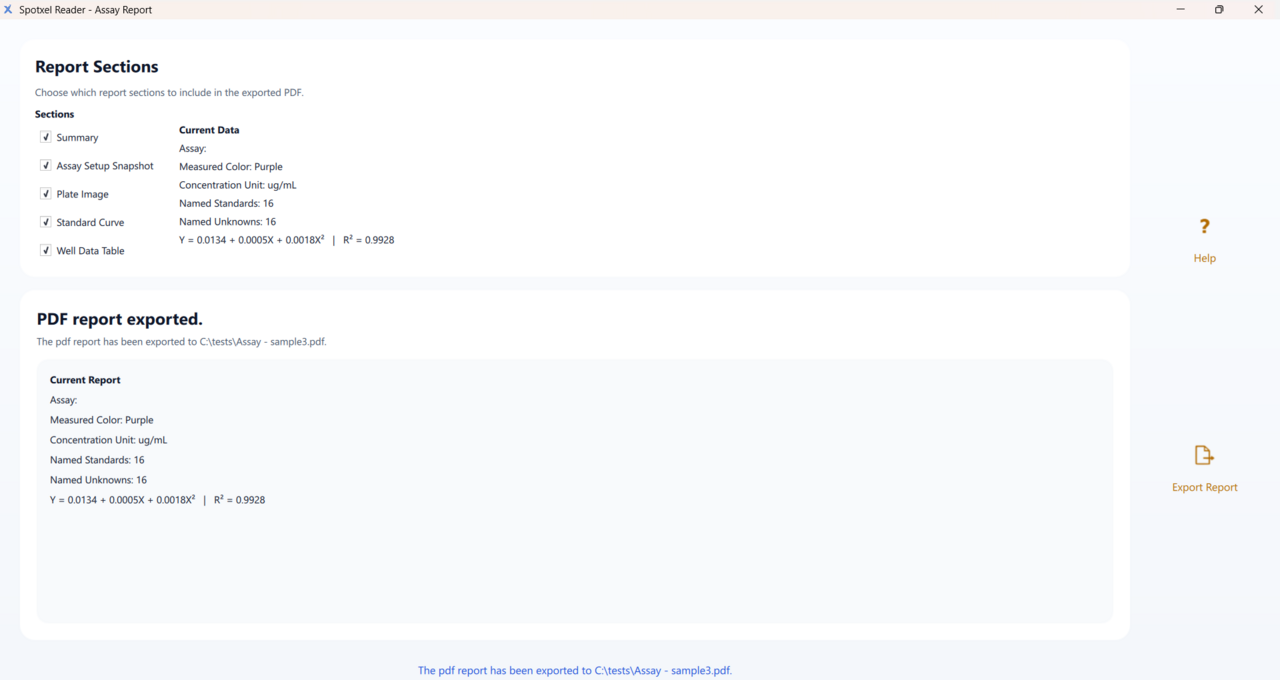
Export data and PDF assay reports
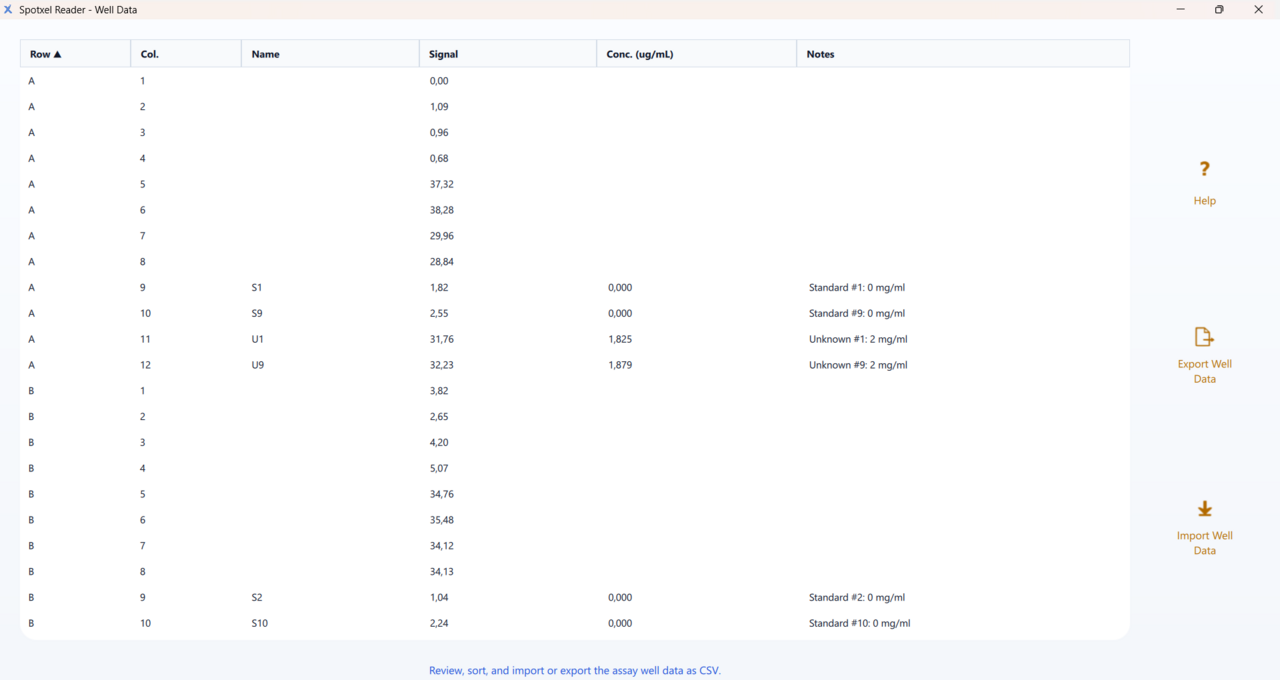
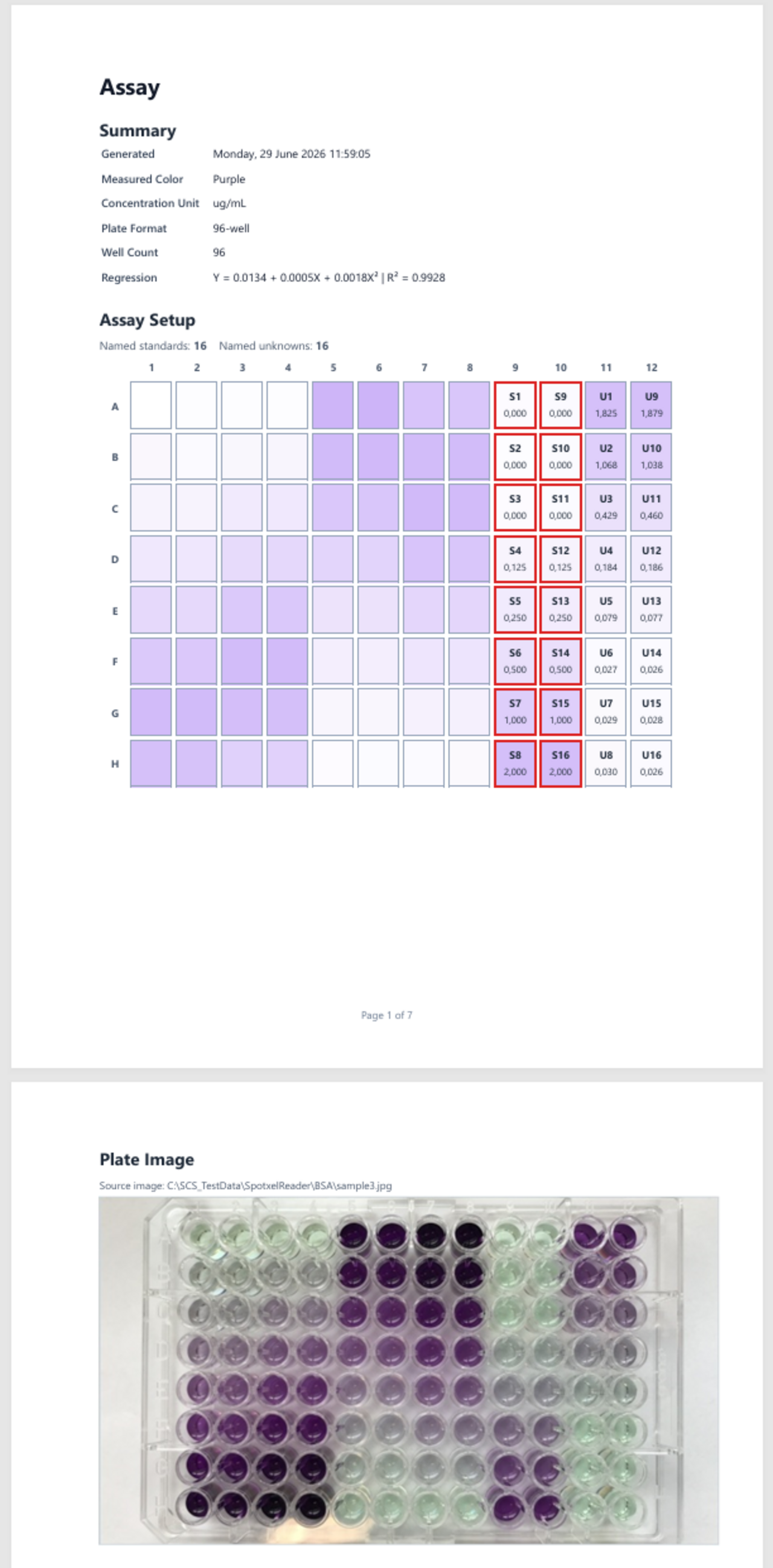
Spotxel® Reader supports practical assay documentation workflows. Users can export assay setup data and well data as CSV files, inspect the calculated standard curve, and create PDF assay reports with selected report sections, including summary information, assay setup, plate image, standard curve, and well data table.
Coming next: macOS, Android, and iOS
Spotxel® Reader 3.1 for macOS, Android, and iOS is planned for rollout in July and early August.
This will bring the redesigned 3.1 workflow and new features to the other supported platforms.
Get Spotxel® Reader
Get Spotxel® Reader for Windows on the Microsoft Store:
https://apps.microsoft.com/detail/9P0B73F3NZRP?hl=en&gl=DE&ocid=pdpshare